
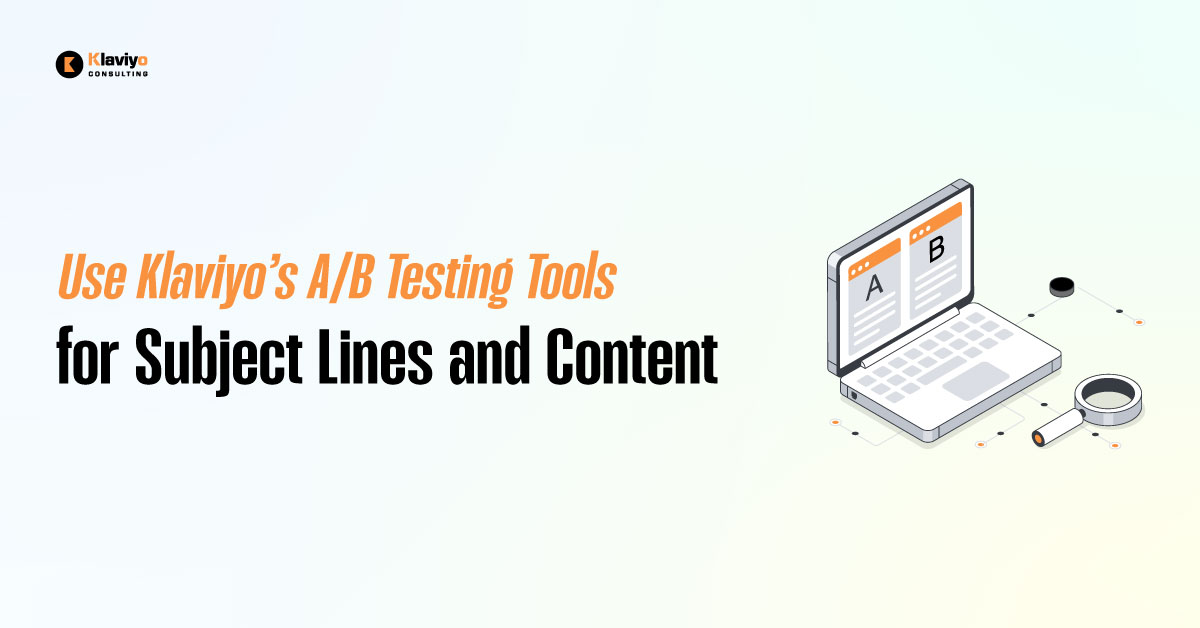
What if you could predict exactly which subject line your audience would open or which button would get the most clicks? In 2025, there’s no reason to rely on guesswork. Klaviyo’s built-in A/B testing tools let you test ideas, get real-time results, and optimize every email you send.
Whether you’re refining your subject lines or experimenting with content layout, Klaviyo gives you everything you need to run clean, accurate A/B tests. Once you begin testing consistently, your email performance doesn’t just improve. It compounds.
In this guide, you’ll learn what to test, how to test it properly, and how to apply the results to both campaigns and flows.
Why A/B Testing is a Must in Modern Email Strategy?
Each email is a chance to learn something about your audience. What draws them in? What gets them to click? What makes them buy?

A/B testing answers these questions by letting you compare two different versions of a single variable. You might test two subject lines, two pieces of copy, or two call-to-action buttons. The result shows you what actually performs better with your audience.
With consistent testing, you can lift your open rates, boost engagement, and increase revenue. Over time, these small improvements lead to significant growth.
What You Can A/B Test in Klaviyo?
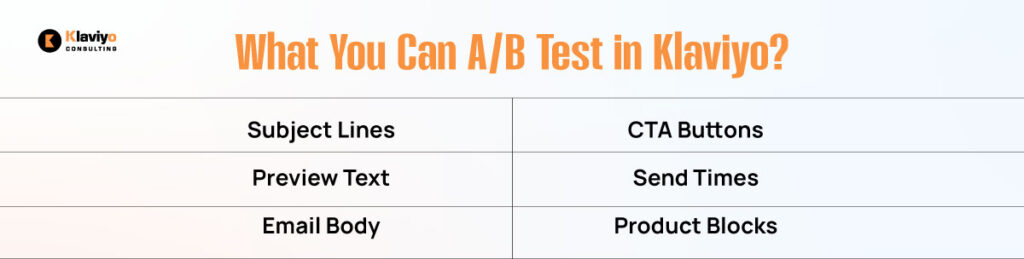
Klaviyo supports A/B testing in both one-time campaigns and automated flows. You can experiment with the following key elements.
Subject Lines
This is where your first impression is made. A slight change in length, tone, emoji use, or curiosity can lead to a noticeable increase in open rates. Try direct versus playful copy or personalization versus a general approach.
Preview Text
Often overlooked, this text appears right after the subject line in most inboxes. Test different messaging styles such as urgency, value-based copy, or a simple question that teases what’s inside.
Email Body Content
You can test everything from the headline to paragraph length. See if social proof performs better than a product-focused intro. Compare storytelling versus straight-to-the-point messaging. Don’t change too much at once, so you can isolate what’s working.
CTA Buttons
This includes the text, design, and placement of your primary call-to-action. You could test “Buy Now” against “Shop the Drop,” or move the button to the top of the email to see if earlier placement increases clicks.
Send Times
Audience behavior varies. Some people respond better to emails in the morning, while others respond better in the afternoon. A/B testing different send windows will help you optimize for each segment.
Product Block Layouts
Try swapping single-column designs for multi-product grids or test the difference between smart recommendations and static product features. A/B testing product blocks is especially useful for abandoned cart and browse abandonment flows.
How to Set Up A/B Tests in Klaviyo?
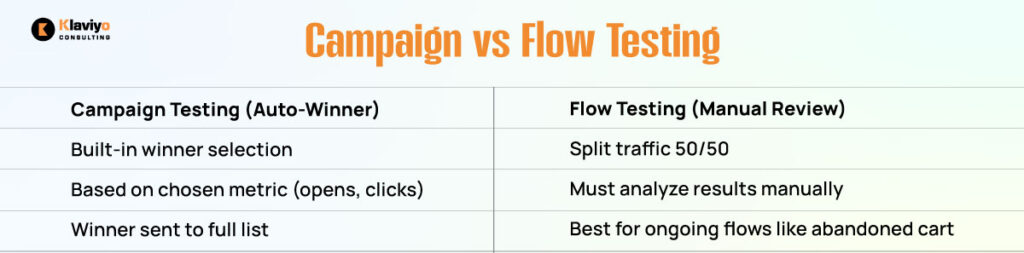
Running an A/B test in Klaviyo is simple. You can do it in either campaigns or flows, depending on your goals.
For Campaigns
Start a new campaign in Klaviyo and toggle the A/B test option. Select the variable you want to test, such as the subject line or content. Create two versions of the email and set your sample size for each version. Select the metric you’ll use to decide the winner, such as open rate or click rate. Finally, determine how long to wait before Klaviyo declares a winner. After the test runs, the winning version is automatically sent to the rest of your audience.
For Flows
Inside a flow, use the A/B Split component to test two email variations. You decide how to split the traffic, typically 50/50, and what emails to send through each path. Unlike campaigns, flow A/B tests don’t declare an automatic winner. You’ll need to review the metrics manually and pick the better-performing version to continue running.
Best Practices for Reliable A/B Testing Results
To gain meaningful insights, A/B testing must be conducted cleanly and consistently. These best practices help ensure your results are trustworthy.
Change Only One Variable
Always isolate a single change per test. If you modify both the subject line and the email design at the same time, you won’t know which one influenced the outcome.
Use a Big Enough Sample
For statistically significant results, aim for at least 1,000 recipients per version. If your audience is smaller, results might vary too much to be reliable, but you can still collect directional feedback.
Let Klaviyo Decide the Winner
For campaign tests, allow Klaviyo to declare the winner using the metric you chose. Don’t override it based on opinion or assumptions.
Apply Learnings Beyond That One Campaign
A test’s value doesn’t end with the email it ran on. Use those insights across your other flows and campaigns. If one subject line format outperforms, use it as a new baseline.
Test Consistently
Testing isn’t a one-time task. It’s a mindset. Each campaign gives you more insight into what resonates. Over time, small wins lead to big shifts in engagement and sales.
How to Use Your Results Strategically?
When one subject line or CTA outperforms another, that’s more than a win; it’s a signal. Use those results to update your templates, adjust your tone, and refine your offer strategy.
Update your welcome series, product announcements, sale reminders, and win-back emails using the formats that work. Build a knowledge base of what copy, design, and send time drive results. Repeat and iterate.
The brands that consistently test and apply insights build smarter flows, not just better campaigns.
Smarter Emails Start with Testing
You don’t need to be a data scientist to send better emails. You just need to test. Klaviyo’s A/B tools make it easy to launch experiments that quickly reveal what works.
In 2025, guessing is out. Testing is in. Whether it’s subject lines, copy, buttons, or timing, every email is a chance to improve your results.
The fastest-growing brands know their audience because they test everything. That’s how they scale smarter, and now you can too.