
In 2026, smart eCommerce brands aren’t treating email and paid ads as separate channels. They’re syncing them. By integrating Klaviyo with Facebook Ads, you unlock a powerful way to reach the right customers at the right time across email, mobile, and social.
With Klaviyo’s built-in integration, you can push dynamic, behavior-based segments directly into Facebook Custom Audiences. This means your ad targeting is based on real customer actions, such as cart abandonment, repeat purchases, and engagement, rather than just anonymous website visits.
This guide walks you through how to use the Klaviyo + Facebook connection to build higher-converting retargeting campaigns, smarter exclusions, and laser-focused lookalike audiences.
What the Klaviyo–Facebook Integration Does?
When you connect Klaviyo to your Meta Ads Manager (Facebook + Instagram), you can sync any segment directly to a Custom Audience. This includes email subscribers, SMS opt-ins, or customers filtered by purchase history, engagement, or lifecycle stage.

Once synced, those audiences are ready for:
- Retargeting
- Lookalike creation
- Exclusion from active campaigns
And unlike static CSV uploads, Klaviyo keeps these audiences updated automatically. That means you’re always advertising to the right people without manual work.
What You Can Do with Klaviyo and Facebook?
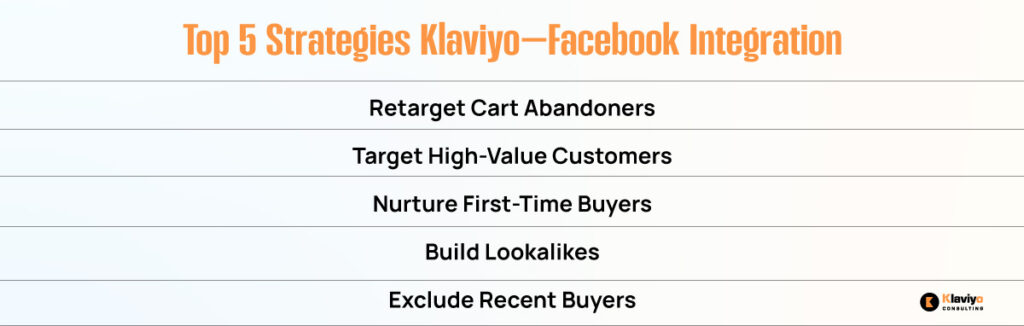
Let’s break down the specific strategies Klaviyo makes possible when integrated with Facebook:
1. Retarget Cart Abandoners
Someone added an item to the cart but didn’t check out? Target them with a Facebook ad featuring the exact product they left behind. Use Klaviyo’s abandoned cart segment to automatically sync this audience.
2. Target High-Value Customers
Segment your top 10% of spenders using filters like CLV (customer lifetime value) or total orders. Create a Custom Audience from that list, then launch special VIP-only campaigns or upsell offers.
3. Reach First-Time Buyers with Education or Upsells
Your welcome flow shouldn’t stop at email. Create an audience of recent first-time customers and show them how to use their purchase, recommend complementary products, or invite them to your loyalty program.
4. Build High-Converting Lookalike Audiences
Use Klaviyo’s clean segments, such as repeat buyers or high AOV shoppers, to create lookalike audiences on Meta. These tend to outperform pixel-based lookalikes since the source data is richer and behavior-driven.
5. Exclude Recent Buyers from Sales Ads
Why waste budget advertising on someone who has just made a purchase? Sync your “Recent Purchasers” segment to a Facebook exclusion list. This protects your profit margin and avoids annoying loyal customers.
Best Practices for Using Klaviyo Audiences on Facebook

To make the most of the integration, follow these proven best practices:
Update Segments in Real Time
Klaviyo’s Facebook integration supports automatic syncing. Enable daily or real-time updates to keep your audiences fresh and accurate, eliminating the need for manual exports.
Use SMS Segments for Mobile-Optimized Ads
If someone has opted into SMS, they’re likely active on their mobile device. Create SMS-only audiences in Klaviyo and serve mobile-first creative content, such as shorter copy, vertical video, or Stories placements.
Match Your Ad Copy to Segment Behavior
Don’t use one-size-fits-all creative. If you’re retargeting cart abandoners, reference the item they left behind. If you’re targeting high-LTV customers, emphasize exclusivity or early access.
Use your knowledge of Klaviyo to customize the tone, urgency, and offer within the ad.
Test Audience vs. Creative First
If performance dips, test the creative before rebuilding the audience. Klaviyo segments are highly qualified. Often, it’s the message, not the audience, that needs tweaking.
Use Lifecycle Segments for Full-Funnel Ads
Segment customers by lifecycle stage: new subscribers, engaged leads, active buyers, lapsed buyers. Then run a funnel of Facebook ads tailored to each stage, just like you would with flows.
Example Campaigns Using Klaviyo–Facebook Sync
Here are real-world campaign examples that demonstrate how brands are leveraging Klaviyo data to achieve better ad performance and higher ROI.
Abandoned Cart Recovery Ad
Audience: Klaviyo segment of abandoned carts (within the last 48 hours)
Creative: Product carousel ad with headline “Still Thinking It Over?”
CTA: “Return to Your Cart”
Lookalike of Top 5% Spenders
Source Segment: Customers with CLV > $500
Ad Type: Prospecting
Creative: Branded lifestyle video with offer “First Order? Get Free Shipping”
Exclude Recent Buyers from Holiday Sale
Audience: Everyone who purchased in the last 14 days
Placement: Exclusion from the main Black Friday ad set
Win-Back Campaign
Audience: Klaviyo segment “No Purchase in 60 Days”
Creative: “We Miss You” ad with 15% off offer and countdown
CTA: “Come Back and Save”
How to Set Up the Integration in Minutes?
Here’s how to get started in minutes and start fueling your campaigns with real-time, behavior-driven targeting.
- In Klaviyo, go to Integrations > All Integrations
- Find Facebook Advertising and click Add Integration
- Log in to your Facebook account and connect your ad account
- Map Klaviyo fields to Facebook identifiers (usually email address)
- Choose the Klaviyo segment(s) you want to sync
- Set sync frequency (daily or real-time)
- Your Custom Audiences will now appear in Meta Ads Manager
From there, you can create ads, exclusions, or lookalikes based on that live audience.
Use Your First-Party Data to Win More Customers
Third-party cookies are fading. Relying on Meta’s pixel alone isn’t enough. The smartest marketers in 2026 are building their own first-party data flywheels, and Klaviyo is the engine behind it.
By syncing high-intent segments to Facebook, you reduce ad waste, lower customer acquisition cost (CAC), and create more relevant, higher-converting campaigns. You already know who your best customers are. Now it’s time to find more of them and keep the ones you’ve got coming back.