
For Shopify merchants, automation is no longer optional; it’s the foundation of scalable growth. And no email platform integrates with Shopify quite like Klaviyo. Built specifically with eCommerce in mind, Klaviyo doesn’t just plug into Shopify. It syncs real-time customer, order, and product data to power personalized, behavior-based marketing that drives real results.
With this native connection, every product viewed, order placed, or cart abandoned becomes an opportunity to engage, convert, and retain. Whether you’re launching your first campaign or scaling your brand, the Klaviyo-Shopify integration gives you the tools to build smarter, automated experiences.
Let’s walk through what syncs automatically, how to get set up properly, and the best practices to unlock the full power of this integration.
What Syncs Automatically Between Klaviyo and Shopify?
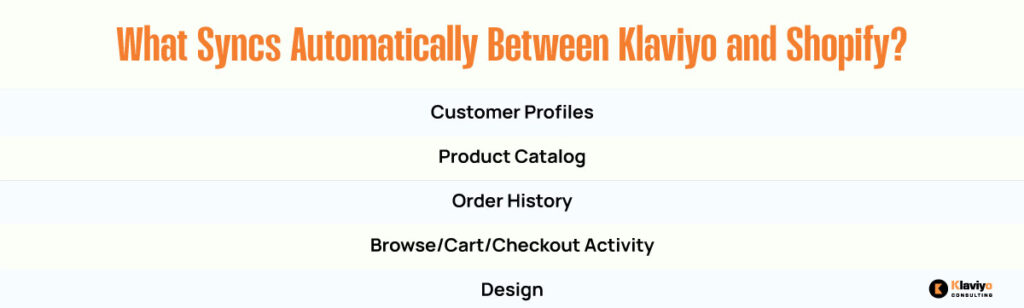
Once you connect your Shopify store to Klaviyo, the integration begins pulling in real-time data that updates dynamically. There’s no need for third-party apps or clunky API configurations. Klaviyo handles it all behind the scenes. Here’s what gets synced automatically:

Customer Profiles and Contact History
Klaviyo creates a full profile for every customer, including first and last purchase dates, lifetime value, total order count, and consent preferences for email and SMS. These dynamic profiles are the foundation of segmentation, personalization, and automation.
Product Catalog Integration
The entire Shopify product catalog is synced, including product names, SKUs, tags, URLs, images, pricing, and variant data. This catalog powers personalized product recommendations and dynamic content blocks in your emails and flows.
Order History and Revenue Data
Each order placed on your Shopify store is logged in Klaviyo. It includes information such as items purchased, order total, applied discount codes, fulfillment status, and the time of purchase. This order history enables you to send targeted post-purchase sequences, replenishment reminders, and VIP offers based on each customer’s actual value.
Cart, Browse, and Checkout Activity
Beyond completed orders, Klaviyo tracks pre-purchase activity, including product views, add-to-cart events, and checkout initiations. These behavioral signals are crucial for triggering browse abandonment and cart recovery flows.
How to Connect Shopify Integration in Klaviyo?
The integration process is fast, straightforward, and doesn’t require technical help.
- Log in to your Klaviyo account.
- Go to the Integrations tab and select Shopify.
- Click “Connect to Shopify” and enter your store’s URL.
- Authorize Klaviyo in your Shopify admin.
- Enable data tracking options, such as viewed product tracking and add-to-cart tracking.
Once connected, Klaviyo begins syncing data immediately. You’ll start seeing Shopify activity inside customer profiles and can begin using that data in flows and campaigns within minutes.
Best Practices for a Smarter Shopify-Klaviyo Integration

Connecting Klaviyo and Shopify is just the first step. To truly maximize performance, there are a few critical best practices that every brand should follow.
Enable Viewed Product Tracking in Your Shopify Theme
Viewed product data is a goldmine for email targeting. It fuels browse abandonment flows, product recommendation logic, and dynamic content.
To track this behavior, install Klaviyo’s JavaScript snippet in your Shopify theme. Most stores do this by pasting it into the theme.liquid file. Klaviyo provides easy step-by-step instructions and validation tools to confirm it’s working.
Once enabled, Klaviyo will log every product viewed by every known visitor. This turns passive window shoppers into personalized flow targets.
Use Shopify Tags to Power Segmentation
Shopify lets you tag customers and products. When synced with Klaviyo, these tags become powerful tools for segmentation.
For example, if you tag customers as “wholesale,” you can exclude them from certain discount campaigns. Or you can tag products as “limited edition” and use that tag to dynamically show or hide them in promotional emails. Think of tags as behind-the-scenes labels that drive automation logic inside Klaviyo.
Add Product Blocks to Flows and Campaigns
Because your Shopify catalog syncs directly with Klaviyo, you can insert product blocks into your emails that update in real-time. This works especially well for:
- Abandoned cart flows
- Post-purchase upsells
- Browse abandonment follow-ups
- Personalized recommendations in newsletters
These blocks automatically pull the product image, price, and link. That saves time and keeps emails looking polished and relevant.
Leverage Revenue-Based Segments
Klaviyo uses Shopify order data to calculate customer lifetime value and revenue per order. You can use this to create high-ROI segments like:
- “Top 10% of spenders”
- “Customers with average order value over $100”
- “Repeat buyers with no orders in 90 days”
These segments are great for sending tailored campaigns, exclusive rewards, or early access to product drops.
Why the Klaviyo-Shopify Integration Matters for Growth?
The best email strategies aren’t based on guesswork. They’re built on customer behavior, timing, and value. With Klaviyo’s Shopify integration, your entire customer journey from first visit to repeat purchase is visible and actionable.
Every time someone views a product, abandons a cart, or completes a checkout, Klaviyo is watching and waiting to respond. That kind of precision means better open rates, stronger click-throughs, and more repeat revenue.
You’re not just emailing people. You’re messaging individuals at exactly the right moment based on their actual behavior in your store.
Conclusion: Smarter Data = Smarter Marketing
The Klaviyo and Shopify integration isn’t just a nice-to-have; it’s the engine behind high-performing, automated marketing. It provides real-time insights and enables you to act on them instantly.
From syncing order data to tracking viewed products and segmenting by customer value, every feature works together to help you sell more with less effort. Once set up, you can build intelligent flows, personalize your campaigns, and scale faster without sacrificing quality.
If you’re on Shopify and not using Klaviyo’s full capabilities, now is the time to connect, customize, and convert.